
Paper in.
PDF out.
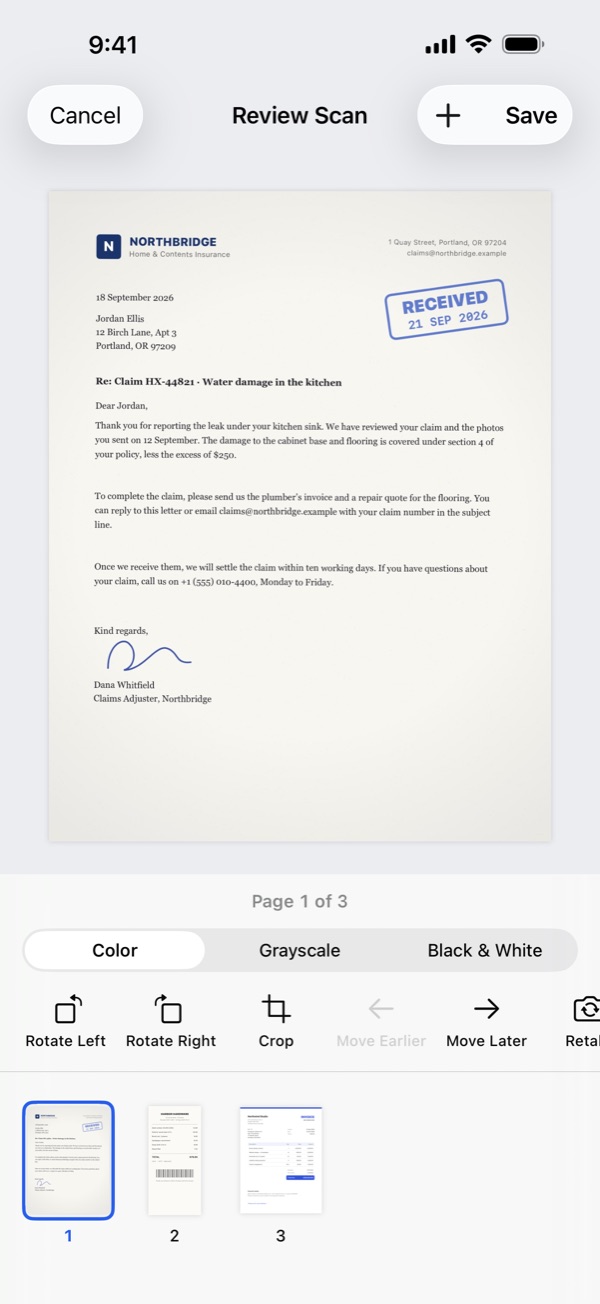
Scan receipts, letters, contracts and forms. The camera finds each page’s edges and straightens it.
- Capture many pages into one PDF, then reorder, rotate, crop or retake any of them.
- Color, grayscale or black & white, on A4, US Letter or fit-to-image pages.
- Turn photos from your library or Files into a PDF.
Edit the text itself
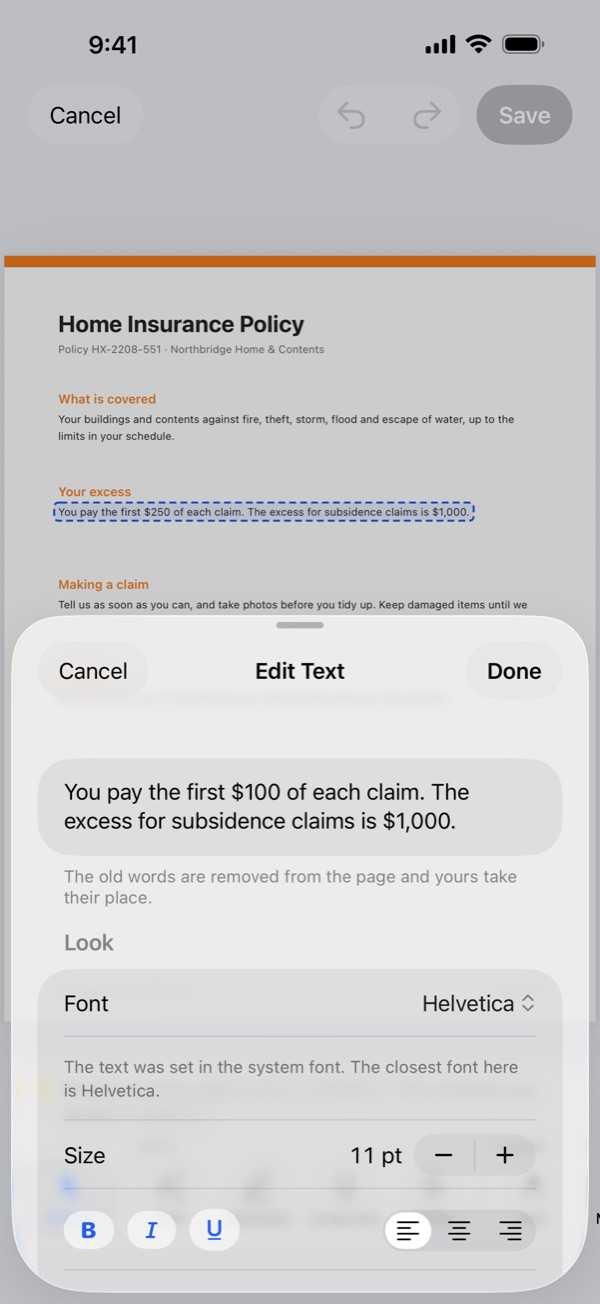
Double-tap a paragraph or a table cell and type. Fix a date, a name or a price in seconds.
- Choose the font, size, bold, italic, underline, alignment and color.
- The old words are removed from the page, not hidden, so they can’t be found or copied later.
- On a scanned page, the old words are covered with the page’s color.
Fill it in.
Sign it once.
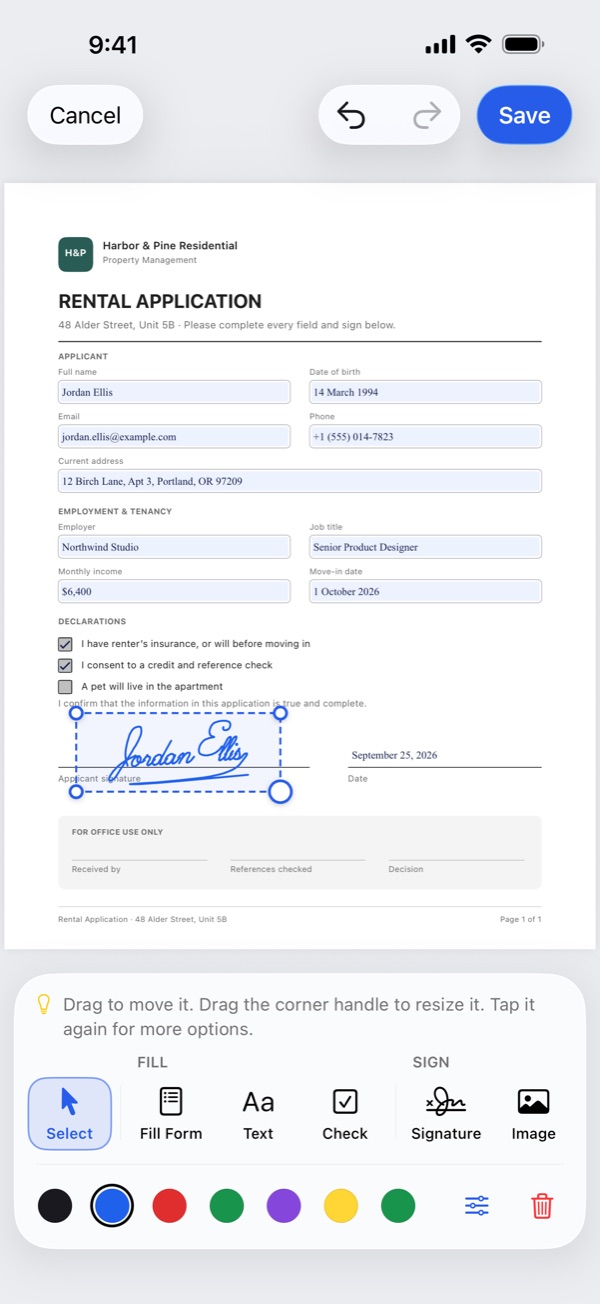
Type into form fields, check boxes and choose options. On scanned or flat forms, add text and check marks wherever you need them.
- Draw your signature once and reuse it, with the date beside it if you like.
- Place a picture, such as a stamp or logo, then move or resize it.
Find any word, even in scans
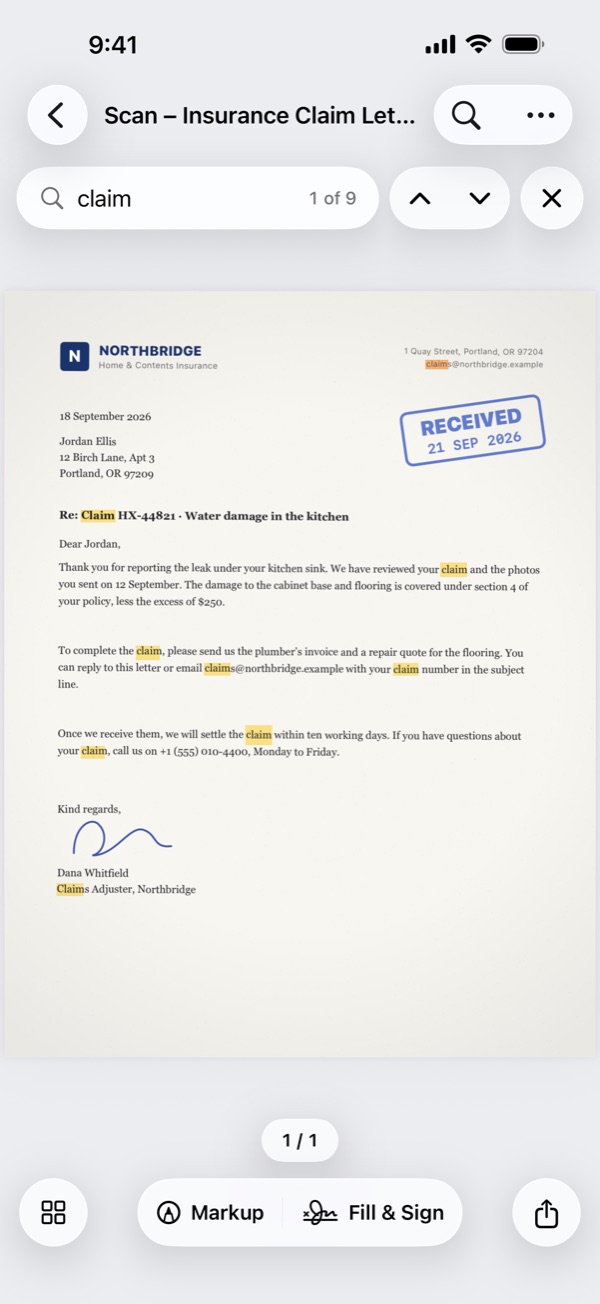
Text recognition makes scanned pages searchable, so you can find, select and copy their words. They stay searchable in other apps too.
- Reads English, Spanish, French, German, Italian, Portuguese, Chinese, Japanese, Korean and more.
- Runs on your device. Your pages never leave it.
Everything else a PDF needs
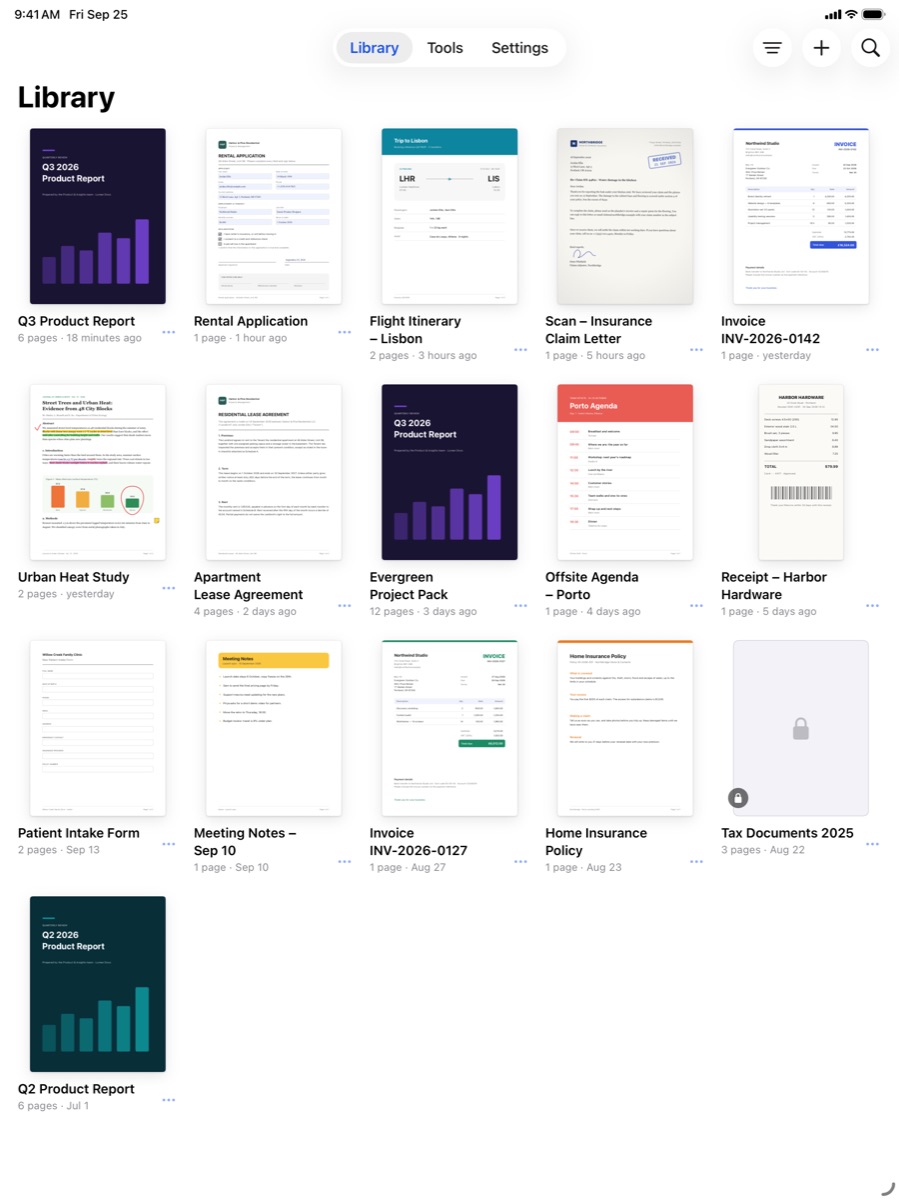
Mark up, reorganize, convert, compress and protect your documents, all in one app.
Organize pages
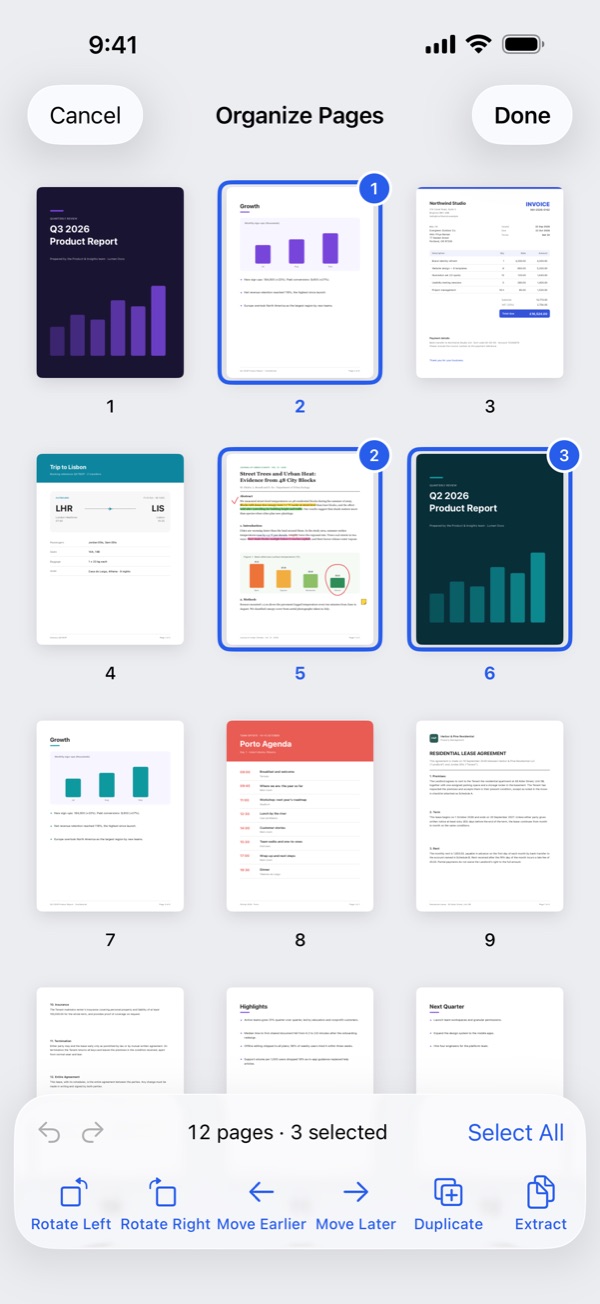
Reorder, rotate, duplicate and delete pages in a thumbnail grid.
Protect what you share Pro
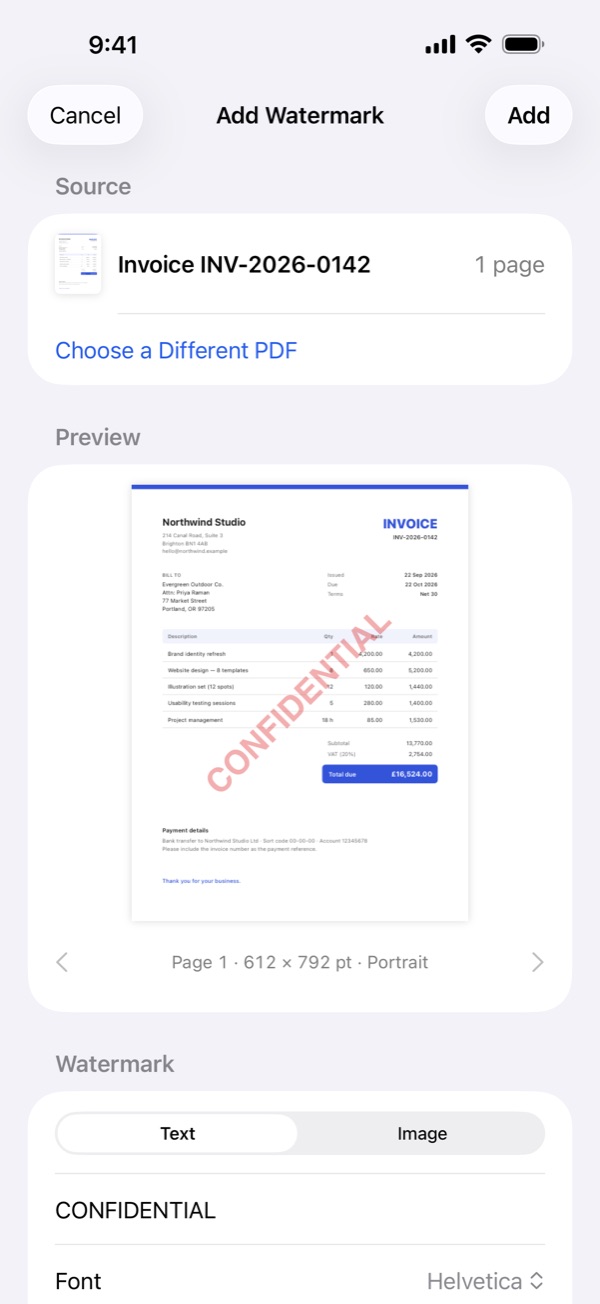
Password-protect a PDF, limit printing and copying, stamp a watermark such as CONFIDENTIAL, or redact private details for good.
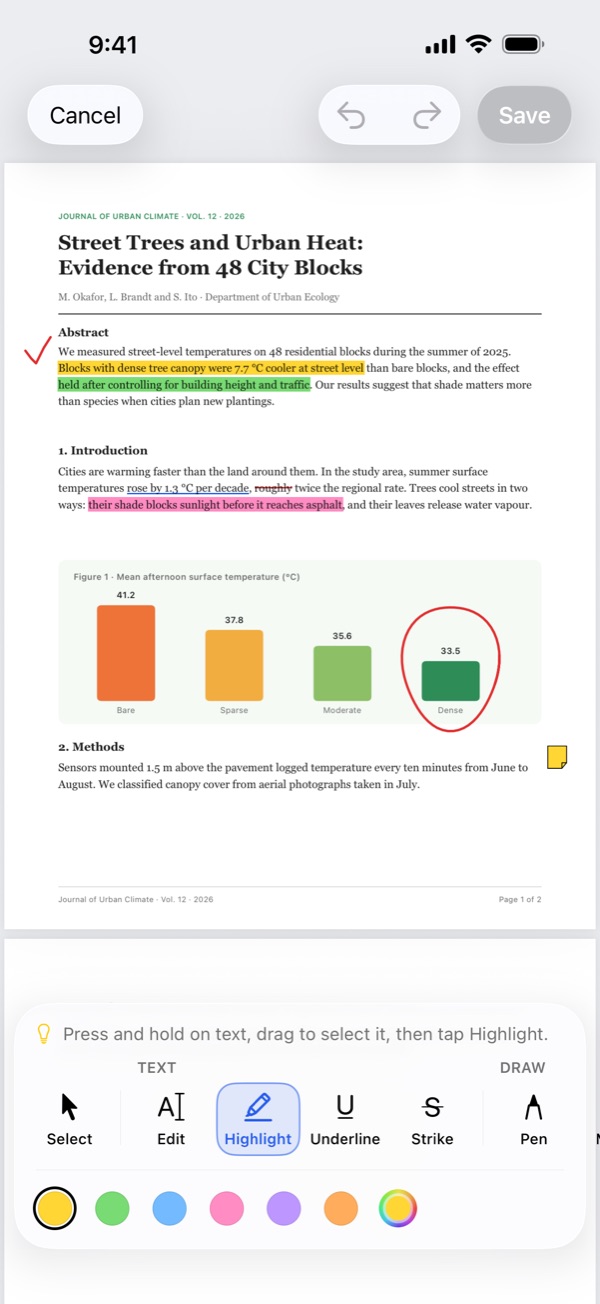
Highlight & mark up
Highlight, draw, and add notes, links and shapes. Your original stays untouched until you tap Save.
Merge, split & extract Pro
Combine PDFs in the order you choose, split by page ranges, or pull out just the pages you need.
Convert & compress
Turn JPEG, PNG and HEIC images into a PDF. With Pro, turn a PDF into images or text, or compress it for email.
Open from anywhere
Send PDFs from Mail, Files and other apps with the Share button, including password-protected ones.
Made for iPhone and iPad
One app for both, with Dark Mode and support for larger text sizes.
Private by design
Your documents stay on your device. There’s no Foldline server to send them to.
- No account No sign-up, no ads and no tracking.
- No uploads Nothing is uploaded, not even for text recognition.
- Works offline Every tool works in Airplane Mode.
- You decide what leaves A file leaves the app only when you share or export it.
Start free. Pay once.
The everyday tools are free. Foldline Pro is a one-time purchase, not a subscription.
Free
No purchase needed
- Scan to PDF and Images to PDF
- Fill & Sign forms
- Highlight and mark up
- Reorder, rotate, duplicate and delete pages
- Search and share your PDFs
Foldline Pro
One-time purchase
- Everything in Free
- Edit a page’s text
- Text recognition (OCR)
- Merge, split and extract
- Compress PDF and Redact
- Password Protect and watermarks
- PDF to Images or Text
Try before you buy. Use every Pro tool except Merge on one PDF of your choice, free. Buy once and it’s yours on every device with your Apple Account.

Foldline
PDF Editor & Scanner for iPhone and iPad. Your documents stay on your device.